Capital Projects
Construction Document Management: How Modern Teams Control, Govern, and Automate Project Information

CEO & Founder, AODocs · Oct 31, 2026
Introduction: Why Construction Document Management Matters Now
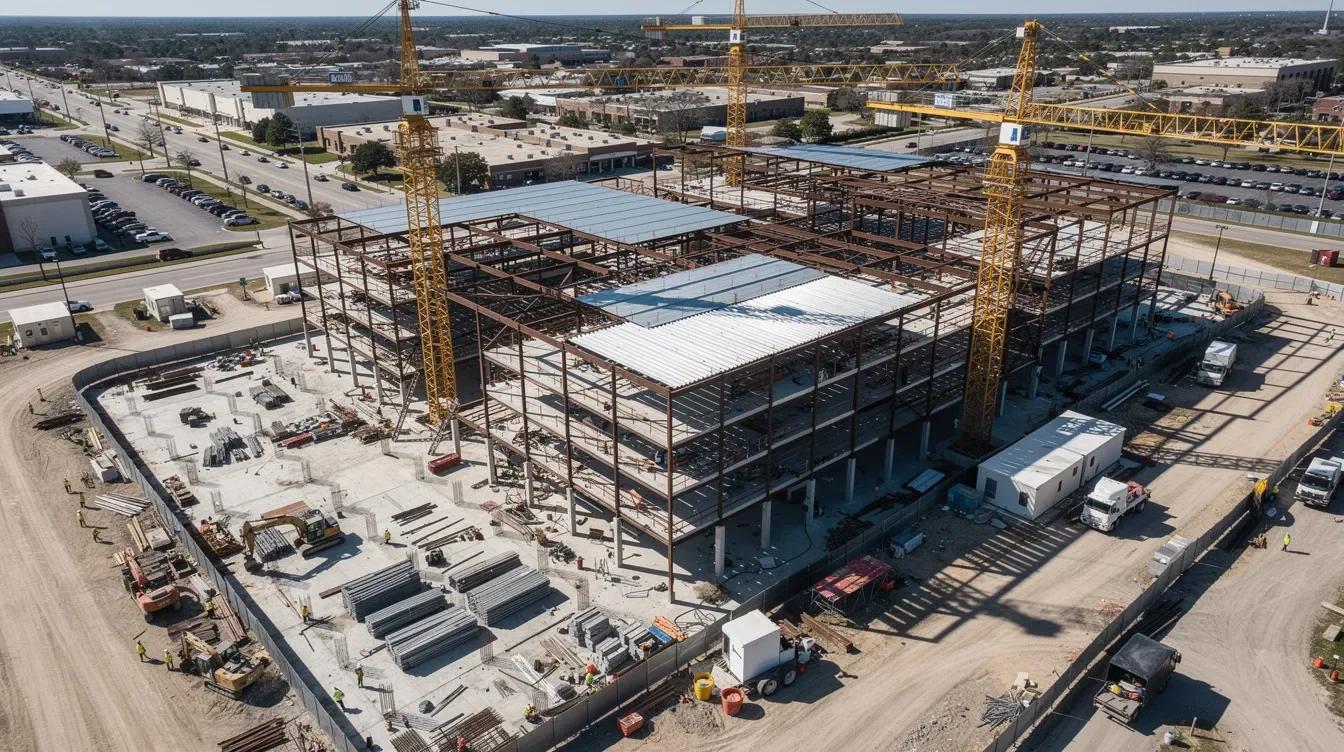
Construction document management organizes permits, drawings, and plans into a single governed system that every stakeholder can trust. For modern construction projects spanning multiple years, dozens of trades, and hundreds of regulatory touchpoints, this discipline has moved from administrative convenience to operational necessity. Effective document management reduces project delays by improving communication across teams that would otherwise chase files through email threads, USB sticks, and outdated plan sets in site trailers.
Consider an illustrative hospital expansion involving architects, clinical engineers, a general contractor, and several subcontractors. If a revised fire-rating detail circulates only by email, an installer may select an older drawing. The example shows why teams need a defined approved revision, distribution process, and acknowledgement record; it is not a documented customer incident.
A governed document control process identifies revision status, routes RFIs and submittals, and defines how field crews obtain approved information. AODocs can support the document layer alongside construction platforms, with metadata, workflows, access control, and AI-assisted processing. Assess those controls against the project's requirements.
What Is Construction Document Management?
Construction document management is the end-to-end process of organizing, storing, controlling, and tracking every construction document across the entire project lifecycle, from design and pre-construction through construction and handover. It differs from general document management because construction documents are not static records. Drawings, change orders, and RFIs are actionable instructions that drive built work, and their relationships matter. An RFI references specific drawing sheets. A change order modifies specs and cost codes. A document management system in this context acts as the single source of truth, so teams can identify the approved revision. A common data environment (CDE) serves as a centralized source for construction project documents, and document management software centralizes project files for easy access.
Typical users include:
- Owners and project managers
- Document controllers and document control specialists
- Architects, engineers, and designers
- Health, safety, and environment (HSE) managers
- Contractors, subcontractors, and QA/QC teams
Key takeaways: the construction document management process covers design through handover and operations, not just storage. Relationships across project documents and status tracking are as important as file storage. Metadata, naming, and version control form the foundation, and governance over who can approve, distribute, and archive is critical.
Paper vs. Digital Document Management on Jobsites
Paper drawings, specification books, signed forms, CAD files, BIM models, and cloud tools can coexist on a jobsite. The document process must define how revisions reach each user and how teams identify printed or downloaded copies that may no longer be current.
For a remote road project, compare how a revised drawing reaches crews through paper distribution and digital access. Test connectivity, device synchronization, and offline revision labels. Faster distribution is useful only if the crew can identify and use the approved revision.
Cloud storage enables real time access to project documents. Configured revision and distribution controls can reduce the risk of using outdated information. Cloud storage allows easy document sharing among project teams, and using cloud-based tools allows real-time updates for all team members.
Paper vs. digital comparison:
| Factor | Paper | Digital |
|---|---|---|
| Distribution speed | Physical dispatch; timing varies | Digital delivery; test synchronization |
| Version certainty | Low; outdated sets common | Depends on status and distribution controls |
| Search and filtering | Manual, slow | Keyword, metadata-driven |
| Audit trail | Informal or absent | Event coverage and retention vary |
| Field access | Heavy plan sets | Device access; verify offline support |
| Integration | Manual transfer or scanning | BIM, scheduling, cost tools |
Core Benefits of Effective Construction Document Management
Good document management supports schedule, budget, safety, and compliance processes by making approved information and decisions traceable. Measure retrieval time, approval delays, version-related incidents, and closeout completeness on your own project before estimating savings.
Core benefits include:
- Project efficiency. Accessibility to documents enhances project efficiency and productivity. Project teams spend less time searching for drawings or chasing approvals, and more time building.
- Cost control. Link change orders, approvals, and supporting documents to the relevant contract and cost record. Measure printing costs and revision-related rework before and after a pilot.
- Safety and quality. Define how users obtain approved procedures, inspection checklists, and safety plans. Quality control improves because specifications and code requirements are current and instantly accessible.
- Enhanced collaboration. Document management improves communication among project stakeholders. Centralized documentation improves collaboration among construction stakeholders, keeping multiple stakeholders on the same page.
- Compliance and risk mitigation. A single source of truth minimizes errors and enhances decision-making. A robust document control system helps construction firms meet regulatory compliance and contractual obligations on public infrastructure and healthcare projects.
Key Elements of Robust Construction Document Control
Construction document control is the governance layer within document management: managing creation, review, approval, distribution, and archiving of controlled project files. On large projects, a dedicated document controller or team handles transmittals, naming conventions, and registers. Assign a document manager to oversee workflow logistics for consistency.
Establish standardized workflows to outline best practices. Standardized workflows streamline document reviews and approvals by enforcing a clear path: draft, review, approved, issued for construction. Workflow automation standardizes document review and approval processes, reducing bottlenecks.
What good document control must include:
- Version control. Version control tracks changes across construction documents and maintains document history. It helps users identify the approved revision and review its history. Effective version control reduces project delays and cost overruns. It also maintains a clear history for compliance audits. For practical guidance on managing current and superseded sets, see Drawing Revision Control: Current and Superseded Sets.
- Standardized metadata and naming. Define fields such as discipline, location, type, revision, and review status. Where ISO 19650 applies, use the project's agreed naming and status conventions. A master document register links required deliverables to revisions, responsibilities, and evidence.
- Audit trails. Identify the document actions the project must record and confirm which events the selected system logs, who can export them, and how long they remain available.
- Access controls. Role-based permissions by document type, trade, and sensitivity level.
- Transmittal records. Formal dispatch records showing when documents were issued and to whom.
The Construction Document Management Process (From Design to Closeout)
The construction document management process follows a clear sequence across the project's lifecycle. Each step requires discipline to avoid bottlenecks and liability.
- Intake and creation. Design packages, method statements, inspection and test plans, and safety plans enter the document management system. Each receives an identifier, metadata, and initial status. Physical documents are scanned and indexed.
- Classification and organization. Classify documents by phase, discipline, location, and type. If ISO 19650 applies, distinguish information-container states such as Work in Progress, Shared, Published, and Archive from project-specific review, suitability, and issue statuses. Define their mapping explicitly.
- Version control and change tracking. Construction document management tracks changes across drawings and contracts. New revisions upload with incremented version numbers; previous versions archive as "superseded." Centralized cloud storage maintains a single source of truth. Configure field distribution for the required issue status, then test user access and downloaded copies.
- Review and approval workflows. Multiple reviewers (design, QA/QC, HSE, client) participate with due dates, reminders, and escalation paths. RFI and submittal workflows track questions and responses in one place during projects, preventing stalled decisions.
- Distribution and access. Published documents push to tablets in the field, sync via BIM viewers, and distribute through formal transmittals. Permissions restrict who sees what. Document sharing happens through controlled channels, not email attachments.
- Closeout and archiving. As built drawings, warranties, O&M manuals, test certificates, and commissioning reports compile into a structured handover package. Retain revisions and audit records according to the applicable policy for legal, regulatory, and operational reference.
Essential Construction Documents to Govern and Track
Not all project files carry equal risk. Some critical documents demand tight governance because mismanaging them creates safety, contractual, or regulatory exposure. Document management software is essential for managing high volumes of blueprints and revisions across these categories.
- Architectural drawings, structural drawings, and MEP models. Must carry revision control with superseded versions clearly archived. 3D models and IFC files should link to annotated 2D sheets.
- Specifications. Written material and performance requirements that must align with design documents. Inconsistencies lead to disputes or code violations.
- Contracts and change orders. Legal basis for the project. Require strict versioning, approval, distribution, and storage. Mislinked change orders cause scope and cost drift.
- RFIs. Track questions, responses, responsible parties, dates, referenced drawings, and any cost or schedule impact. A controlled RFI register helps teams identify unanswered requests and link decisions to the affected revision.
- Submittals and shop drawings. Must be approved before procurement or installation. Delayed submittals directly impact the schedule.
- Permits and inspection reports. Prove work was covered by proper permits. Construction document management organizes permits, drawings, and plans to support essential documents for inspections.
- Daily field reports and punch lists. Record work progress, defects, and issues. Used in claims and quality control.
- Test, commissioning, and closeout reports. Essential for owner handover, certification (LEED, hospital licenses), and operations.
Each document type should have a defined owner, workflow, and retention policy inside the document management system.
Construction Document Management Software: What to Look For
Construction document management software helps teams organize project records, revisions, approvals, and access. Specialized construction platforms already manage plans, models, and project workflows. A dedicated DMS can complement them when contracts, RFQs, supplier records, certificates, and handover files need consistent controls across projects or business systems. Assess existing capabilities before adding another tool.
Key features to evaluate:
- Version control. Construction document management software includes version control features that track revision history, archive superseded versions, and help identify the approved revision for field use.
- Granular permissions. Granular permission controls restrict access to sensitive documents in construction projects. Role-based permissions ensure sensitive documents are only accessed by authorized personnel.
- Configurable workflows. Approval routing for RFIs, submittals, and change orders with deadlines, reminders, and escalation.
- Metadata and search. Fields for discipline, status, phase, system, and location. Full-text and filtered search so construction managers can locate project information in seconds.
- Integrations. Define connections to BIM, scheduling, procurement, and cost systems. Confirm the files, metadata, approvals, and permissions each connection exchanges. For AODocs storage examples, assess Amazon S3 or Microsoft Azure separately from workplace integrations.
- Mobile and offline access. Offline mobile accessibility is important for viewing and marking up construction plans on job sites. Mobile accessibility allows users to access documents from any device. Field teams require efficient syncing of documents to work effectively on site, including in remote locations.
- Automatic sheet recognition. Automatic sheet recognition streamlines the process of naming and sorting new blueprint revisions, reducing manual data entry.
- Audit trail. Verify which upload, view, edit, approval, download, and sharing events are logged, with identity and timestamps. Check export and retention requirements for document control.
AI-Powered Document Management for Construction Teams
AI powered document management is moving from experimental to expected. Many construction document management platforms support AI-driven workflows and automation for efficiency, and AI process automation is reshaping how construction teams handle document-heavy processes.
Use automation to reduce manual documentation errors. Concrete AI use cases for construction teams include:
- Requirement extraction. Parsing a 500-page spec book to list all fire-rated assemblies and cross-checking them against the relevant design documents.
- Conflict detection. Identifying when drawings and specifications contradict, such as a fire-rating mismatch or incompatible materials across disciplines.
- Summarization. Condensing long RFI threads or submittal reviews so project managers can quickly understand key issues without reading every exchange.
- Smart search. Asking "show all IFC drawings affecting Level 3 mechanical room" or "what submittals are overdue in the electrical trade" and getting structured, governed answers.
- Automatic classification and tagging. Classifying uploaded documents by type, discipline, phase, and trade. Review suggested metadata and route uncertain results for correction.
- Risk flagging. Identifying documents with missing approvals, expired permits, or draft versions mistakenly used in the field. Construction document management platforms help mitigate risks associated with outdated information.
AI must operate over approved, quality-controlled content inside a compliant document management system with strong audit trails. Without governance, AI agents risk surfacing outdated or unapproved content, creating liability rather than reducing it.

Security, Compliance, and Audit Trails in Construction Document Control
Determine the document-control requirements that apply to the project, including its safety obligations, contract terms, quality procedures, and information-management standards. Agree the evidence, owners, and retention rules before configuring controls.
Compliance must-haves for any construction document control software:
- Role-based access control. Least-privilege principles. Encryption in transit and at rest. Secure external sharing and watermarking for sensitive documents.
- Audit trails. Verify event types, timestamps, identities, version references, and lifecycle transitions. Test the evidence needed for an inspection or audit rather than assuming all activity is recorded.
- Retention and archival policies. Define how long each record must remain available, who may change or dispose of it, and what holds or archival controls are required. Verify storage immutability only where the project requires it and the chosen configuration supports it.
- Digital signatures. Signed approvals with non-repudiation.
- Alignment with standards. Determine the applicable ISO 19650 information management requirements, quality procedures, and local authority rules with the project owner. The ISO 19650 and information management guide provides context; verify the relevant edition and contractual requirements.
Well-organized documents facilitate easier inspections and audits. Proper documentation aids in compliance with safety regulations and audits. Document management systems streamline audits and inspections.
In an illustrative dispute over a fire-rating detail, the relevant evidence could include the approved drawing revision, approval record, distribution log, and receipt acknowledgements. Define the evidence required by the contract and verify that the chosen systems preserve and export it.
Best Practices for Implementing a Construction Document Management System
Rolling out a construction document management system on a live project requires disciplined planning. These tactical steps reduce risk and accelerate adoption.
- Assign clear ownership. Appoint a document control lead or small governance group responsible for naming conventions, workflows, and training. This person manages the systematic process of onboarding project documentation into the system.
- Pilot on a single project. Start with a mid-size active build to test folder and metadata structures, workflows, mobile field use, and access control before scaling portfolio-wide.
- Analyze current systems to identify performance gaps. Map existing document processes (paper, email, shared drives). Identify where project delays stem from missing drawings, version chaos, or unclear responsibilities. Design metadata taxonomy and workflows from this analysis rather than copying messy legacy folder trees.
- Ensure interoperability. Construction document software must integrate with project management tools, BIM, CDEs, email, and cloud storage so teams do not duplicate data generated across systems. Collaboration tools enhance communication between stakeholders on construction projects.
- Invest in training and change management. Run short, role-based sessions for construction teams: project managers, site supervisors, engineers, and subcontractors. Provide quick reference guides. Simulate common tasks (finding the latest IFC drawing, submitting an RFI).
- Monitor and improve continuously. Incorporate customer feedback to improve document management. Run quarterly reviews of workflows, metadata usage, and permissions based on user feedback and audit findings. Track financial records and better decision making outcomes to demonstrate ROI.
How AODocs Supports Enterprise-Grade Construction Document Management
AODocs supports engineering and construction document processes through metadata, permissions, workflows, and audit records. It can complement specialized construction tools for the wider project record. Storage options include Amazon S3 and Microsoft Azure; workplace integration with Microsoft 365 is a separate architecture consideration.
For construction teams, AODocs provides configurable document control workflows for RFIs, submittals, and change orders. Revision control, metadata-driven search, and field-ready access through integrated tools keep project teams working from current, approved content. Proper construction document management requires this combination of control and accessibility.
AODocs document agents can assist with classification, attribute extraction, and retrieval of related records. Configure the accessible documents and permissions, inspect source and revision references, and review outputs before using them for design, safety, contractual, or compliance decisions.
Construction managers, document controllers, and operations teams can use governed records to review approvals and assemble handover information. Define ownership and acceptance criteria for each document type, then test the configured process with ordinary user and external-partner permissions.
If your construction business still relies on email chains, shared drives, or paper-based processes to manage documents and store documents, the cost compounds with every project. Consider starting a pilot with a governance-first, AI-powered platform that lets every team member easily access documents, track revision history, and maintain a strong document control system from design through closeout.
Frequently asked questions
What is construction document management?
Construction document management organizes project records from design through handover. It connects document identifiers, revisions, approval states, responsibilities, access rules, and retention requirements. The scope includes drawings and models as well as contracts, RFQs, supplier records, certificates, inspection reports, and operations manuals.
How does document control differ from document management in construction?
Document management covers the broader process of capturing, organizing, finding, and retaining project information. Document control defines how critical records are reviewed, approved, issued, revised, and superseded. It assigns responsibilities and preserves the evidence needed to identify which revision was approved and how it was distributed.
Does construction document management require replacing existing project tools?
Start by assessing the controls already available. Specialized construction platforms manage plans, models, and project workflows. A dedicated DMS can complement them when contracts, supplier documents, certificates, and handover records need consistent governance across projects or systems. Define authoritative records, integrations, and any migration requirements before selecting the architecture.
What should teams test before rolling out construction document management?
Test revision upload and approval, superseded-copy identification, field access, external distribution, and audit-record export with representative documents. If offline work is required, test synchronization and revision labels on the actual devices. Measure retrieval time, approval delays, version-related incidents, and handover completeness against a baseline.