
Searching for AI use cases with a measurable productivity boost? Start with the boring work your team fears and loathes.
Companies are stuck in an awkward middle with AI. Everyone knows they should be using it, but most leaders are quietly trying to satisfy three conditions at once: find work AI can actually do reliably, prove that it creates real business value, and do all of this without alienating employees or stoking fears about job security.
That feels like an almost impossible combination. That is, until you realize you’ve been looking in the wrong place.
The easiest way to satisfy all three conditions at once is surprisingly simple: start with the work employees already hate doing.
AI excels at the tasks humans find most soul-crushing — summarizing endless documents, translating content at scale, filling out forms, extracting data from PDFs — and doing all of it repeatedly, across thousands of pages, without need for days off or risk of burnout. McKinsey has estimated that knowledge workers spend roughly 20% of their time just searching for and gathering information before doing any real work with it. That’s a fifth of the working day gone due to grunt work before anything meaningful even begins.
The situation leads to a natural division of labor between humans and bots.
Leave the creative, judgment-intensive work to your people, who love it and do it far better than AI.
Let AI handle the repetitive, clock-watching tasks that make people dread Monday mornings.
But where do you draw the line between soul-sucking drudgery and strategic, high-value work?
Asking “what do people hate doing?” turns out to be one of the best criteria for identifying tasks that can be efficiently offloaded to AI.
If a task is tedious, repetitive, and nobody wants to do it, there’s a good chance AI can handle it — and everyone will be better off for it.
Here are the seven tasks we see most consistently across enterprise teams, and what AI can do about each one.
Task #1 — Contract Tagging
The pain: Copy-pasting company names, dates, jurisdiction, clauses, over and over at 4 pm on a Friday.
Someone has to upload a contract and fill in 10 or 15 mandatory fields, and nobody enjoys the experience.
It’s the kind of work people rush through at the end of the day, making small mistakes along the way and clicking “accept” just to be finished.
For in-house legal teams, the version of this that really hurts is different: dozens of NDAs, supplier agreements, and customer contracts flowing in every week, each one needing to be checked clause by clause to confirm it aligns with internal policies.
The review is time-consuming, the quality depends heavily on who happens to be handling it, and when approvals stall, the whole contract cycle slows down with them.
What AI does: Pre-fills every field instantly, flags clause-level risks, and finds the right contract in seconds.
Here’s how an AI-enabled DMS can perform this workflow for legal teams: an incoming contract arrives, AI generates a concise summary of the key terms, extracts metadata for classification, and flags anything that doesn’t align with standard policy — all before a lawyer needs to open the document.
The human reviewer engages at the point where judgment actually matters, rather than spending their time on the mechanical checks that precede it.
MediaNews Group, for example, applied this method at scale across more than 2,500 active contracts: AI extracts the key fields from incoming PDFs, populates cover sheets automatically, and routes agreements with a recommendation for validation and signature — cutting end-to-end contract management time by 40%.
As Bob DeRosia. MNG’s Director of Corporate Procurement put it: “Before, senior owners of documents spent a lot of time on validation and approval. Now they just send an email.”
Task #2 — Checking Request Validity
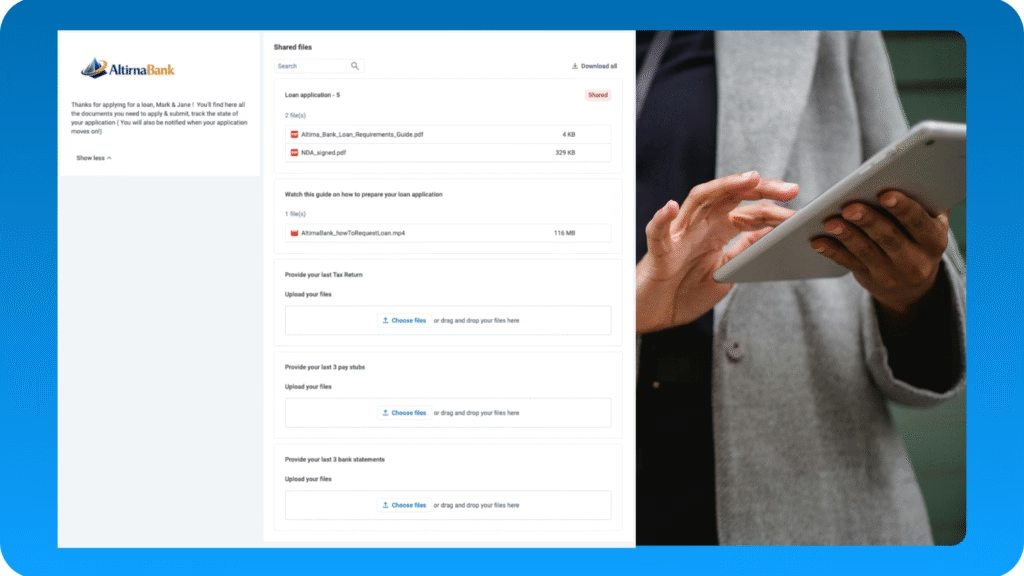
The pain: Wading through mortgage applications only to discover a missing payslip or W-2.
A loan officer opens a mortgage application, works through it carefully, and discovers on page four that a W-2 is missing. The whole file goes back. Two days later it comes back — this time with the W-2 but without a bank statement.
This is not an edge case; it’s the default experience in any high-volume document intake process, and the cumulative waste is enormous.
What AI does: Flags incomplete files and cross-checks consistency before anyone touches them.
Mortgage Application Review for banks, insurers and other financial institutions was built specifically around this scenario.
AI ingests an incoming application package — identity documents, pay stubs, tax returns, purchase agreements, proof of funds — validates that everything required is present.
It then goes further: working only with approved documents and files, a reliable AI assistant can answer questions like “Do the declared income figures align with the tax returns?” by cross-referencing the submitted documents directly, surfacing inconsistencies before they ever reach an underwriter.
What previously took days of back-and-forth now happens in minutes, with loan officers spending their time on actual credit decisions rather than completeness checks. There’s no underwriting judgment being made by AI here. Just the loop of incomplete and inconsistent files, eliminated at the front of the queue.
Task #3 — Sorting & Routing
The pain: Manual triage of incoming RFPs — reading, categorizing, forwarding — with a bottleneck at every step.
A procurement team receives a Request For Proposal (RFP). Someone has to read enough of it to understand what category it belongs to, figure out which internal expert should handle it, and forward it with the right context. At low volume this is annoying. At scale it becomes a serious operational drag, and the people stuck doing the routing are rarely the ones best placed to add value to the response.
What AI does: Reads, classifies, and routes documents in seconds.
AI ingests an incoming proposal request, extracts the key requirements, generates a structured summary, and routes it to the right team — all without anyone having to triage it manually.
The same pattern applies to any high-volume document intake: instead of a person reading each incoming file to decide where it belongs, AI classifies it instantly and moves it on.
What used to create a bottleneck at the front of the process becomes invisible. MediaNews Group saw this play out when they acquired a regional property in Texas: AODocs AI automatically identified and categorized hundreds of incoming contracts by department and renewal date from day one, with no manual triage required.
Task #4 — Document Summary
The pain: Knowledge workers spend roughly a fifth of their time gathering and searching for information before doing any actual work with it.
A quality manager in a manufacturing plant needs to verify that a supplier meets certification requirements. An analyst needs to brief a senior partner before a client call. A caseworker needs to understand the history of a claim before making a decision. In each case, the actual judgment takes minutes — but the preparation takes hours, and much of that time is spent reading documents that AI could summarize in seconds.
What AI does: Gives you the answer without making you read the document first.
A QMS demo shows what this looks like in manufacturing: a quality manager needs to check whether a specific production step complies with a procedure, or verify that a supplier’s certificate is still valid. Instead of navigating an SOP library and reading through the relevant section manually, they ask AIDA — and get the answer instantly, grounded in the approved, current version of the document.
The same system flags workflow bottlenecks in quality processes and surfaces relevant data from warranty claims and customer feedback without anyone having to compile a manual report.
Google’s Knowledge Management team applied the same logic at data center scale: technicians getting fast, accurate answers from controlled documentation rather than searching unstructured files, saving millions of dollars in operational costs as a result.
Task #5 — Content Translation
The pain: Manual translation at scale is slow, expensive, and error-prone in ways that compound over time.
A company operating across multiple markets needs its supplier contracts, safety data sheets, and compliance documentation available in the local language. Sending everything to an external translation agency creates backlogs of days or weeks, and the per-document cost adds up quickly. This is especially true – and painful – for companies using high-volume operational documents where the content changes frequently and terminology consistency matters.
What AI does: Translates at scale while preserving document structure and terminology.
Any organization operating across multiple markets runs into this problem eventually — supplier contracts, safety data sheets, and compliance documentation that need to exist in the local language, updated whenever the source changes.
AI translation that preserves document formatting, legal terminology, and structural hierarchy — rather than producing a raw language conversion that someone then has to reformat — is the difference between a tool people actually use and one that creates as much work as it saves.
This is precisely the kind of high-volume, rule-bound task where AI delivers without controversy and frees up human expertise for the decisions that require genuine cultural judgement.
Task #6 — Filling In Forms
The pain: Manual data entry drains focus and produces error rates above 6% as people rush to be finished.
An accounts payable team receives supplier invoices by email, extracts the relevant figures, and manually enters them into the system.
A procurement team onboards a new supplier and has to populate registration forms from documents the supplier sent as PDFs.
In both cases, the person doing the entry knows it’s low-value work, they’re doing it quickly to get it done, and the error rate reflects that. A large systematic review in clinical research found manual record abstraction had a pooled error rate of 6.57%, and there’s no reason to think the picture is any better in finance or procurement.
What AI does: Goes from supplier email to approved invoice in a few clicks.
An invoicing demo shows how to solve exactly this workflow: a supplier sends an email with an attached invoice, AI extracts the relevant data, populates the corresponding fields, routes the document through the appropriate approval chain, and archives the final version — all with minimal human intervention and full process visibility.
The same pattern applies to supplier document management: certificates of analysis, safety data sheets, and compliance certificates that previously required someone to open each file and check it manually are now validated automatically, with discrepancies flagged before they create downstream problems.
Task #7 — Extracting PDF Data
The pain: Going through unstructured documents to copy numbers and names into another system, draining and dull by design.
This may be the most universally loathed of all knowledge work tasks.
A retail quality manager receives hundreds of handwritten customer complaint forms and has to manually read, categorize, and enter each one into a tracking system before anyone can spot a pattern or draft a response.
A contracts manager at a media company receives PDFs from dozens of vendors, each formatted differently, and has to find and enter the same ten fields from each one. The work is slow, repetitive, and a persistent source of errors that only surface downstream — sometimes much later.
What AI does: Reads unstructured documents and extracts exactly what you need.
A customer service complaint processing demo shows the retail version of this problem: a quality manager receives hundreds of handwritten in-store complaint forms. Under the manual process, each one has to be read, interpreted, categorized, and entered into a tracking system before anyone can identify a pattern or draft a response — hours of work before any actual service recovery begins.
AI scans the forms, classifies each complaint by type, extracts the relevant details, and queues responses automatically, turning a half-day backlog into something that resolves itself before the manager finishes their morning coffee.
MediaNews Group dealt with the same underlying problem in contracts: more than 2,500 vendor PDFs, each manually reviewed, with no reliable way to surface expiration dates or key terms if a dispute arose. With AI-enabled DMS, that data is now extracted automatically and made immediately searchable — so when a vendor dispute surfaces, the relevant clause appears in minutes, not hours.
AI Doesn’t Replace Judgment. It Replaces Drudgery.
When companies start at removing the tasks employees deeply dislike they don’t get resistance but reap relief. Nobody feels threatened or replaced; they simply get hours of their week back and can redirect that time toward work that actually requires them.
That middle ground between “no AI” and “AI decides everything” is already large enough to deliver 10, 20, even 30 percent productivity gains. That should happen not by changing who’s accountable or rewriting processes, but by clearing away the work nobody wanted to do in the first place.
As AODocs’s CEO Stephan Donze puts it: AI-enabled Document Management means fewer errors, less wasted time, and a team that’s finally free to do the work that matters.
That’s where AI actually wins today, and the best place to start is the task list your team dreads most.
Find out more about AODocs AI and process automation